Is your HubSpot ready for AI, or about to make a mess with it?
HubSpot's AI agents, and tools like ChatGPT and Claude, work straight from your CRM data. If the data is messy or the wrong people have access, AI makes the mess bigger and faster. Our free audit tells you what to fix before you switch anything on.
Free AI readiness audit by a HubSpot Platinum Partner team in Bangkok
The cost of getting AI wrong, or getting to it late
Switch it on unprepared and you pay twice: once in credits, and again in the hours spent fixing records and explaining wrong answers to customers. Many teams then turn AI off and decide it doesn't work for them.
Wait too long and you fall behind. Companies testing AI in their CRM this year will know what works for them by next year. Their customers get an answer at 11pm. Yours wait until morning.
You don't need every AI feature. You need the right one, set up safely, on data you can trust.

AI in HubSpot takes a few clicks to switch on. That's the problem.
Agents that answer customers, research leads and update records are already included in many HubSpot plans. When nobody checks the setup first, this is what happens:
- The customer agent answers from old pricing, outdated pages or empty fields
- Everyone in the portal can use AI tools, including people who should never be editing records
- An AI action updates records in bulk, and nobody can tell what changed or why
- HubSpot credits get used with no limits or alerts, and the cost shows up before anyone notices
- Answers from ChatGPT or Claude don't match the numbers in your own reports
AI does what your setup allows it to do. If the setup is loose, the damage is fast.
What you get from your free AI readiness audit
A person on our HubSpot team reviews your portal by hand. We also ask a few questions about your team and the tools you use outside HubSpot, because some of what matters isn't visible inside the portal.
You'll receive:
- A readiness rating for HubSpot's customer agent, the prospecting agent, and connecting HubSpot to ChatGPT or Claude
- A permissions review showing who can use AI features, who can edit or delete records, and who has more access than their role needs
- A credit check showing how your HubSpot credits are used and whether limits and alerts are set
- A data quality report covering duplicates, empty fields and outdated records
- A ranked fix list, so you know what to do first
- A walkthrough call with our team to go through the findings
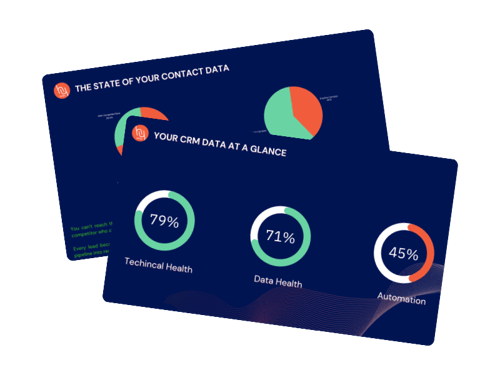
What we check
Everything we look at comes back to one question: can AI work safely with your HubSpot setup today?
Data quality
Duplicates, empty fields, outdated records, and lifecycle stages that no longer match reality. AI reads all of this and repeats it back to your customers and your team.
User permissions and AI access
Who can use AI tools, who can edit, merge or delete records, and which seats still belong to people who left. We flag every user with more access than their role needs.
AI credits and cost control
How your HubSpot credits are being used, which features use them, and whether usage limits and alerts are in place, so the bill holds no surprises.
Fit with your business
Based on your plan, your answers and your content, which AI use makes sense to start with, and whether your help articles and website pages are good enough for a customer agent to answer from.
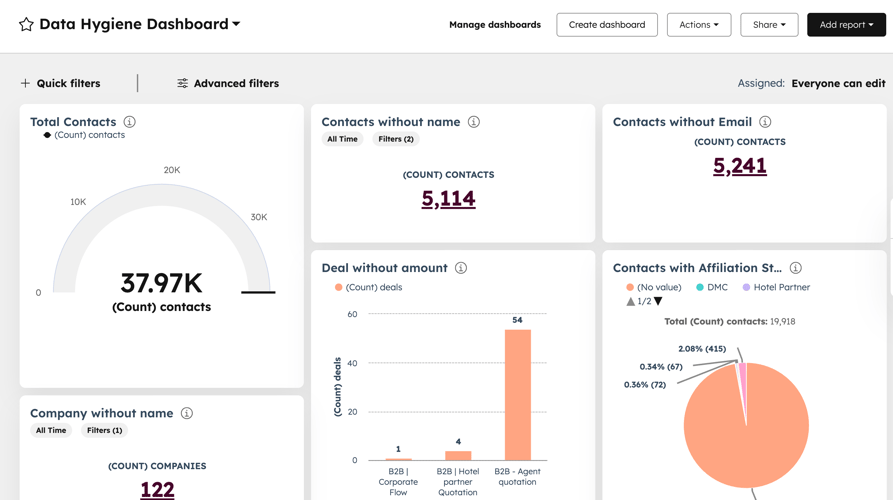

Who this audit is for
- Companies on HubSpot, on any Hub or plan, thinking about AI
- Teams that already switched on AI features and aren't sure what they're doing
- Admins who no longer know who has access to what
- Managers who want to know what AI will cost before it shows up on the bill
How it works
Tell us a little about your company and we'll get in touch to book an intro call.
2. Intro call, 20 to 30 minutes
We learn your goals, the tools you use outside HubSpot, and how your team uses AI today.
3. Partner access
We send you a standard HubSpot partner access request.
4. We review your portal
Our team checks your data, user permissions, AI settings and credit usage by hand.
5. You receive your report
Readiness ratings, permission and credit findings, and a ranked list of what to fix first.
6. Walkthrough call
We go through the results together. You decide what happens next.

Why we do this for free
Some companies ask us to help fix what we find. Many don't, and they keep the report anyway. Either way, you know exactly where your HubSpot stands.
Do we have to use HubSpot's AI agents?
No. Some teams start by connecting HubSpot to ChatGPT or Claude, some start with the customer agent, and some need to clean their data first. We'll tell you what makes sense for you.
Do I need to give access to my portal?
We use HubSpot's standard partner access. You can remove it whenever you like, including the day the audit is done. We won't change anything in your portal during the audit.
How long does the audit take?
You'll receive your report in 7 to 9 business days, followed by a walkthrough call with our team.
Is it really free?
Yes. There's no contract and no obligation.
Who does the audit?
Our certified HubSpot team at Hy Digital, a HubSpot Platinum Partner in Bangkok. A person reviews your portal by hand. It isn't an automated scan.
.png "Hy Footer Logo (2)")